Arduino Lab – Analog Input (9/23/2009)
Analog Sensor – LED test from Noah King on Vimeo.
This was a basic test to get an analog sensor, in this case a potentiometer, to control the brightness of an LED, much like a dimmer switch.
Analog Sensor – LED test from Noah King on Vimeo.
This was a basic test to get an analog sensor, in this case a potentiometer, to control the brightness of an LED, much like a dimmer switch.
ICM Week 1 – Version B – Interactive Processing Drawing from Noah King on Vimeo.
This processing sketch explores mouse driven manipulation of an image, using variables and click-derived actions. Screen-captured with Quicktime.
Physical Computing – Combination Problem from Noah King on Vimeo.
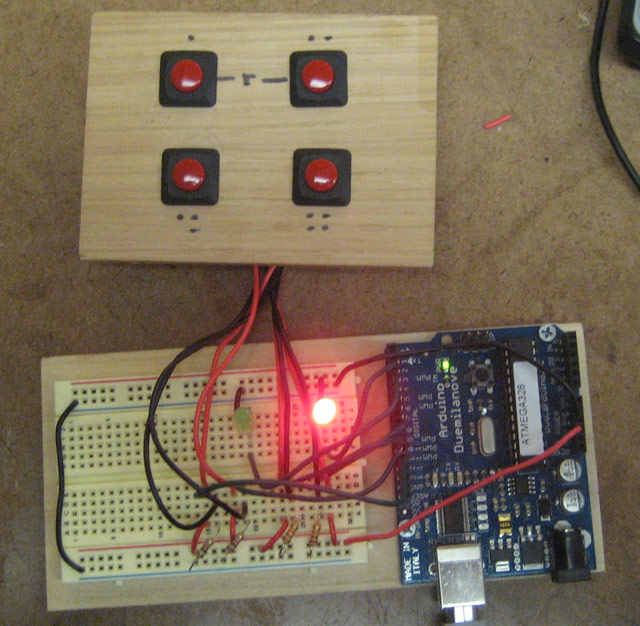
This was a solution to the problem of programming the functionality of a combination lock.
There are four buttons, pressing any one of them applies a mathematical function to a variable. After several button presses the variable becomes rather unique, so only the correct combination with “unlock” the circuit and turn the green LED on.
Physical Computing Lab2D- Button Spinners from Noah King on Vimeo.
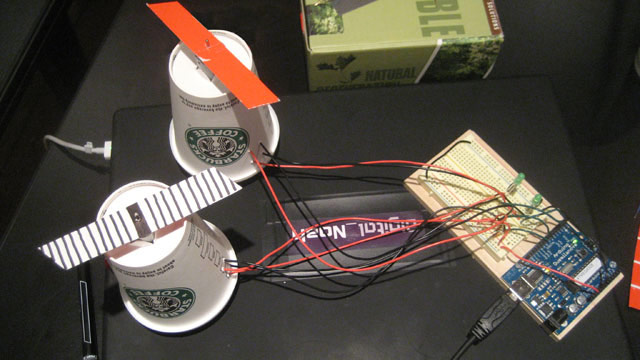
This concept here is to have three separate towers/motors/spinners, each one with a Red/Yellow/Blue colored wing. By pressing different button combinations, colors optically mix and basic color theory is visualized. This video is of a test. Once I get a third motor and I construct some wind blades, I’ll finish up this idea.
This concept could easily be developed into a wire-controlled car, using three buttons as switches for FORWARD (both wheels spin), LEFT (only right wheel spins), and RIGHT (only left wheel spins). Considering that the range of the car would be limited to the length of the wires, it would make some sense to use four motors, two front-facing, two rear facing (or to figure out some way to get the motor to reverse polarity through a switch) so that the car could go backwards and forwards.
Link for source code.
Without any recursion, this was quite tedious to make.
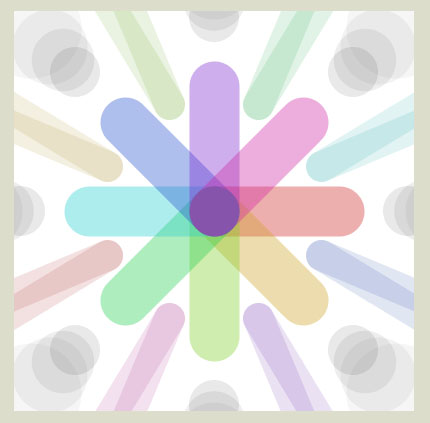
I needed to make several calculations to extract x + y coordinates on a circle. Based off of the below grid sketch, I picked a circle size with relatively “whole” values. sq(x)+sq(y)=sq(Radius)
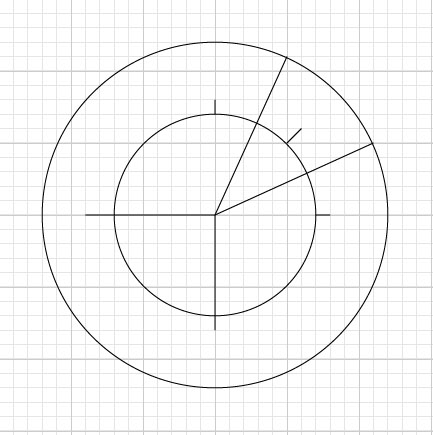
Source code: ICM_week1_A
Built with Processing
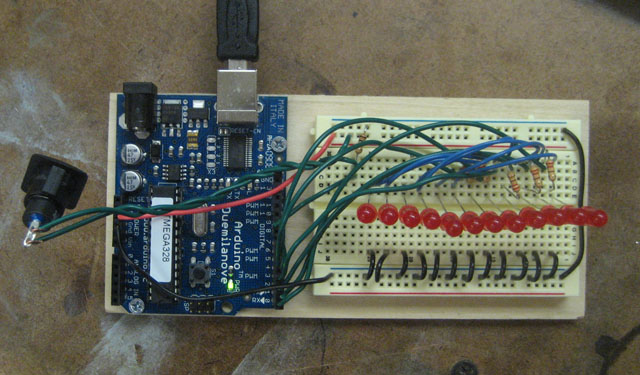
After wiring up the LEDs, I performed two tests. The first was to turn on all the lights, and the second was to make them appear to move in sequence.
Physical Computing Lab2- LED Stripe from Noah King on Vimeo.
Physical Computing Lab2- LED Flow from Noah King on Vimeo.
Source Code:
int LED0=0;
int LED1=1;
int LED2=2;
int LED3=3;
int LED4=4;
int LED5=5;
int buttonWire=9;
int buttonRead=0;
void setup() {
pinMode(buttonWire, INPUT);
pinMode(LED0, OUTPUT);
pinMode(LED1, OUTPUT);
pinMode(LED2, OUTPUT);
pinMode(LED3, OUTPUT);
pinMode(LED4, OUTPUT);
pinMode(LED5, OUTPUT);
}
void loop() {
buttonRead=digitalRead(buttonWire);
if (buttonRead==1) {
digitalWrite(LED0, HIGH);
delay(50);
digitalWrite(LED0, LOW);
digitalWrite(LED1, HIGH);
delay(50);
digitalWrite(LED1, LOW);
digitalWrite(LED2, HIGH);
delay(50);
digitalWrite(LED2, LOW);
digitalWrite(LED3, HIGH);
delay(50);
digitalWrite(LED3, LOW);
digitalWrite(LED4, HIGH);
delay(50);
digitalWrite(LED4, LOW);
digitalWrite(LED5, HIGH);
delay(50);
digitalWrite(LED5, LOW);
}
else {
digitalWrite(LED0, LOW);
digitalWrite(LED1, LOW);
digitalWrite(LED2, LOW);
digitalWrite(LED3, LOW);
digitalWrite(LED4, LOW);
digitalWrite(LED5, LOW);
}
}
Red and Green LED lights with switch activation.
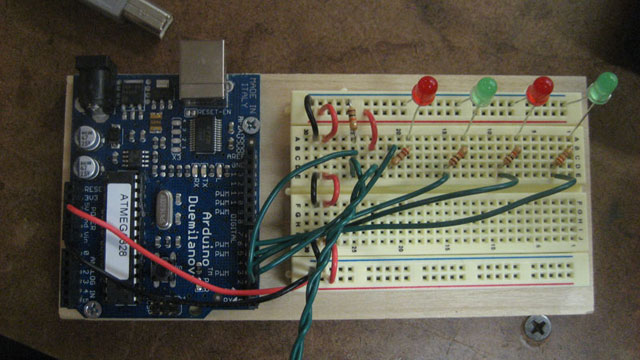
Physical Computing Lab2-Version B from Noah King on Vimeo.
Code:
int button=2;
int redLed0=3;
int greenLed0=4;
int redLed1=5;
int greenLed1=6;
int buttonPress=0;
void setup() {
pinMode(button, INPUT);
pinMode(redLed0, OUTPUT);
pinMode(redLed1, OUTPUT);
pinMode(greenLed0, OUTPUT);
pinMode(greenLed1, OUTPUT);
}
void loop() {
buttonPress=digitalRead(button);
if (buttonPress==1) {
digitalWrite(redLed0, LOW);
digitalWrite(redLed1, LOW);
digitalWrite(greenLed0, HIGH);
digitalWrite(greenLed1, HIGH);
}
else {
digitalWrite(redLed0, HIGH);
digitalWrite(redLed1, HIGH);
digitalWrite(greenLed0, LOW);
digitalWrite(greenLed1, LOW);
}
}
No code. Just a basic test to see if wiring was correct.
Physical Computing Lab 2 – Version A from Noah King on Vimeo.
Category Selection:
Connect:
DigitalNoah Archive: